Scenario - Command Encryption
This scenario was developed as a walkthrough for command encryption in NOS3, as well as an introduction to CryptoLib.
This scenario was last updated on 4/22/25 and leveraged the 619-scenario---command-encryption-walkthrough branch at the time [2dfbc17].
Learning Goals
By the end of this scenario, you should be able to:
Switch between virtual channels via CryptoLib
Send encrypted or authenticated commands and receive telemetry using CryptoLib
Verify successful encryption and decryption between FSW, GSW, and simulators
Prerequisites
Before running the scenario, ensure the following steps are completed:
CryptoLib Config Settings
This section captures what was updated as part of this scenario and why.
Go to NOS3/cfg/nos3_defs/toolchain-amd64-nos3.cmake and change line 34 (TO_TRANSPORT), as seen in the picture below, from udp to udp_tf.
This will force NOS3 to format telemetry in a way that CryptoLib can understand.

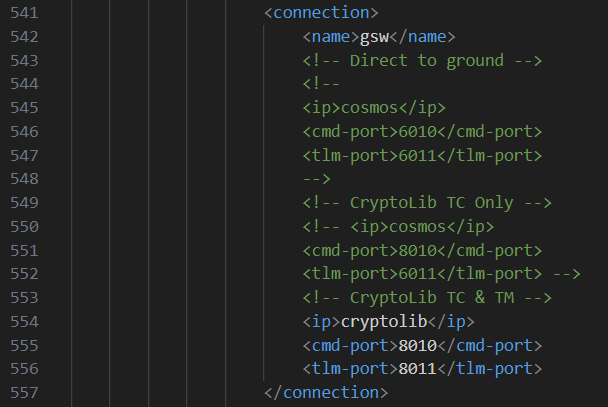
Next, go to NOS3/cfg/sims/nos3-simulator.xml and uncomment lines 554-556 (CryptoLib TC & TM), as seen in the picture below.
Make sure the other options are commented out.
This allows the correct ports to be configured for encrypted commanding and receiving telemetry through CryptoLib.
Walkthrough
With a terminal navigated to the top level of your NOS3 repository:
make

make launch

Organize the windows for ease of use

Now we start the COSMOS ground software
Click the
Okbutton, followed by theCOSMOSbutton in the top left of the follow NOS3 Launcher window that appearsNote you may minimize this NOS3 Launcher, but do not close it

Commanding
To start commanding, navigate to the NOS3 Flight Software and CryptoLib GSW terminals, along with the Command Sender and COMSOS Command and Telemetry Server windows.
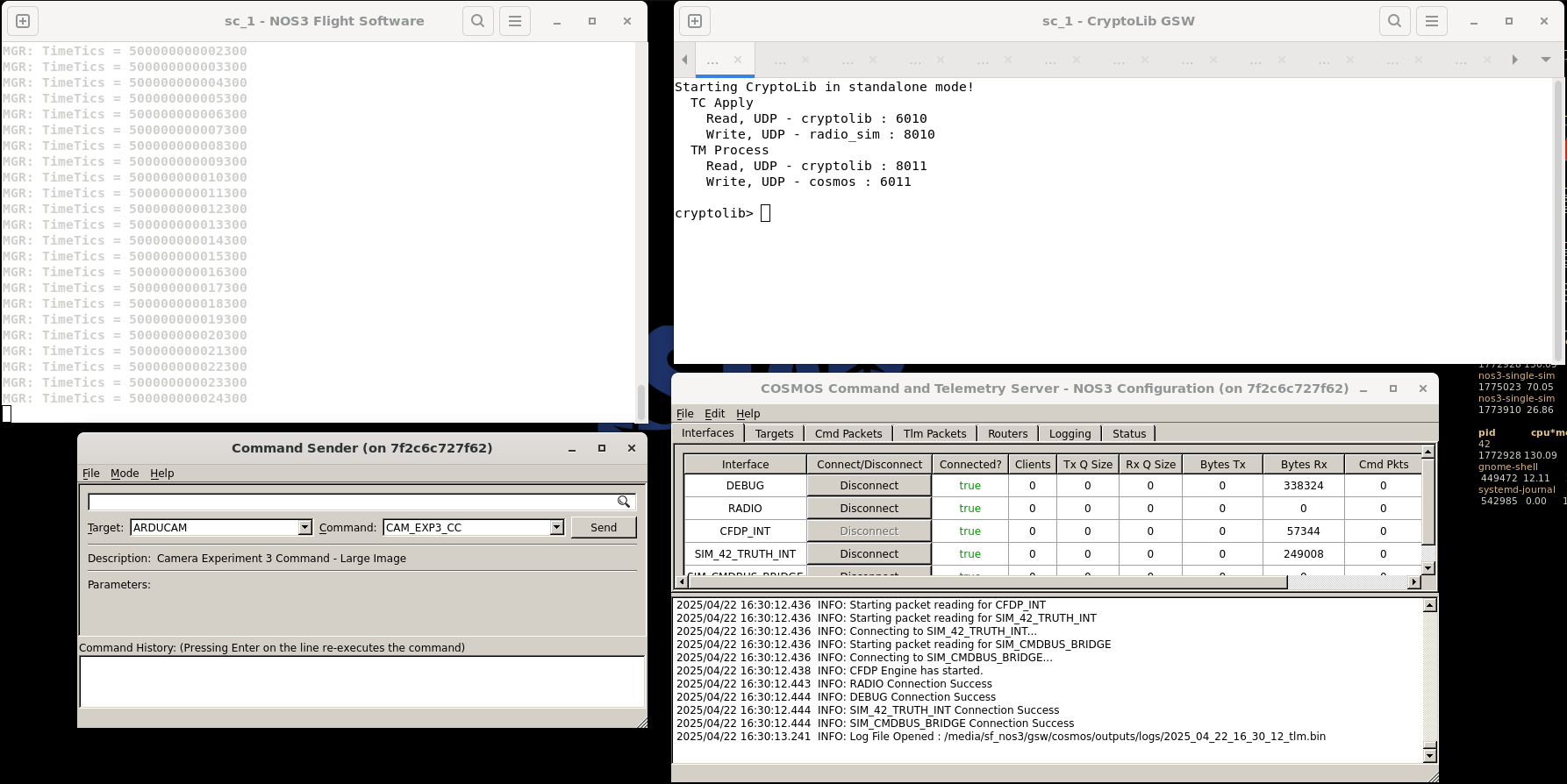
CryptoLib is configured for clear-mode commanding with debug prints as default.
To send a no-op command, select the CFS_RADIO target and CFE_ES_NOOP command in the Command Sender window and send the command.
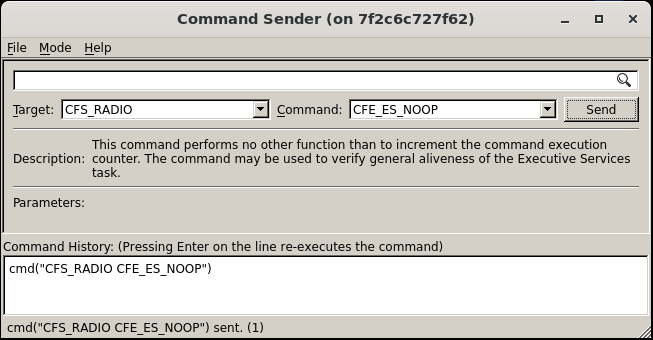
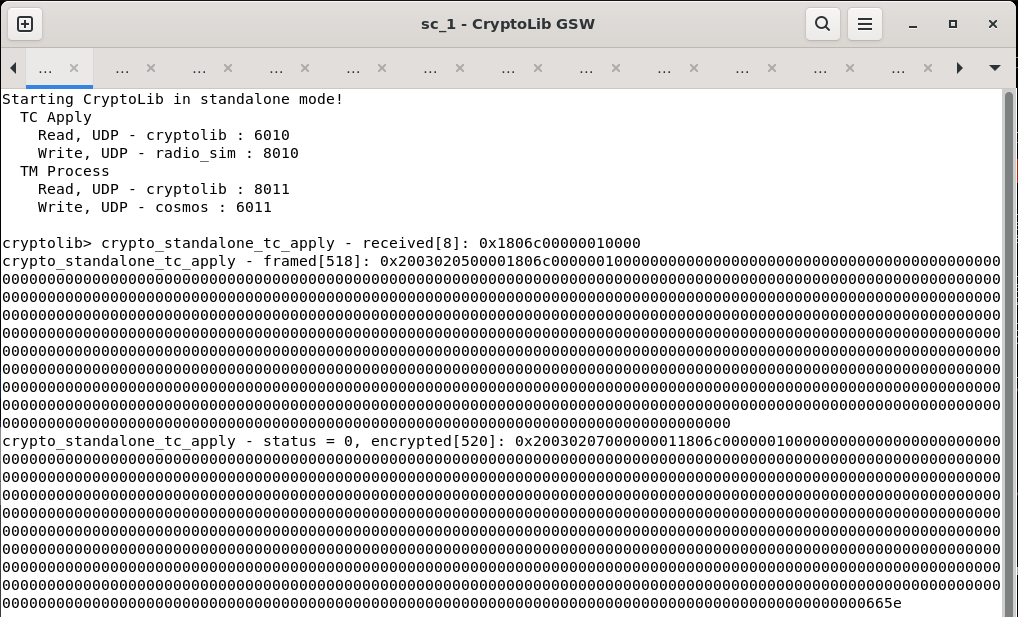
To send an encrypted command, type vcid 2 in the CryptoLib window.
This switches the virtual channel that is being used. Now, repeat the previous command.
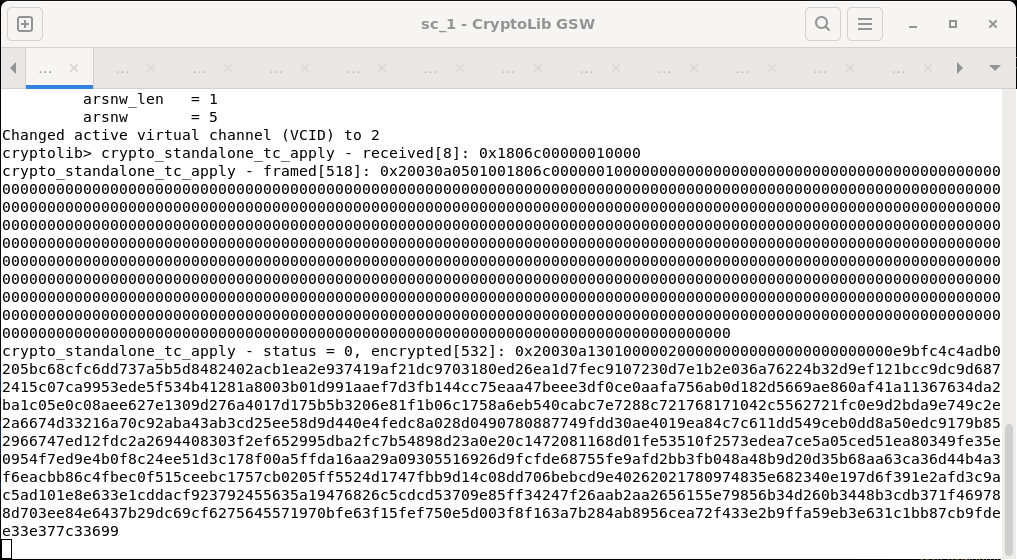
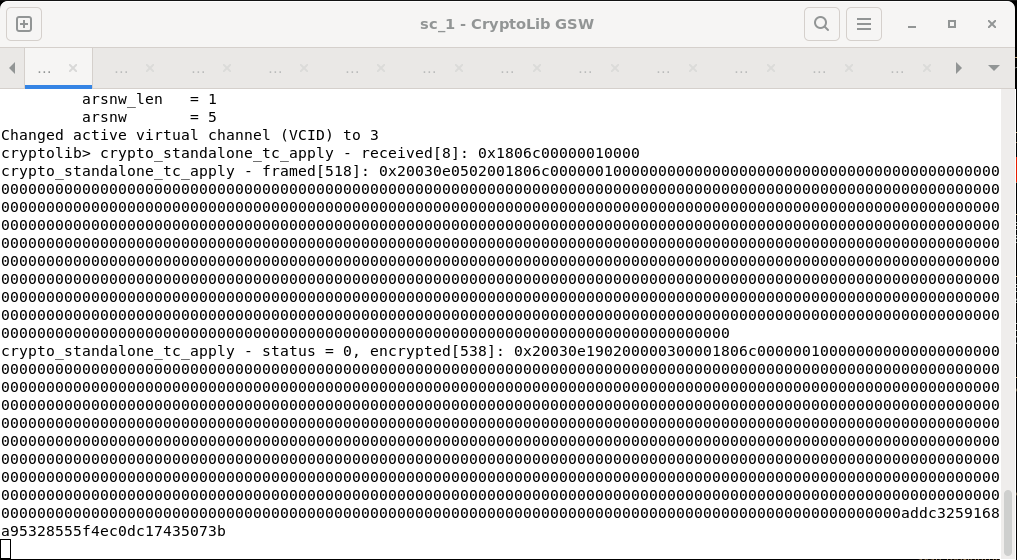
To send an authenticated command, type vcid 3 in the CryptoLib window and repeat the previous command.
Enabling Telemetry Output
To enable telemetry output through CryptoLib, select the CFS_RADIO target and TO_ENABLE_OUTPUT command in the Command Sender window and send the command.
This will cause packets to be decrypted through CryptoLib.
To disable the debug output, type
tmin the CryptoLib window.
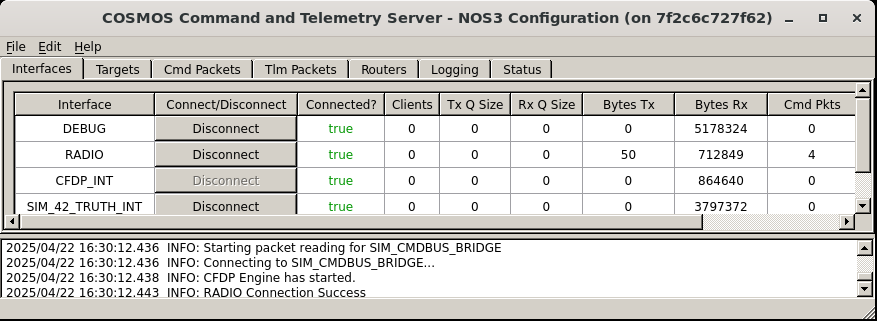
You should now see the Bytes RX field for the RADIO interface increasing on the COSMOS Command and Telemetry Server window.
Other CryptoLib Commands
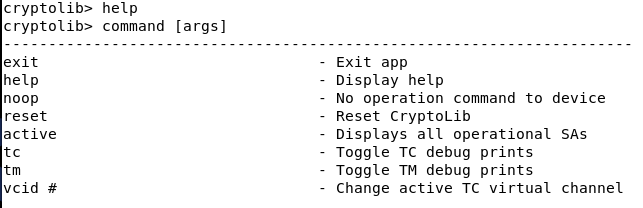
All other available CryptoLib commands can be seen by typing help in the CryptoLib window.
Congrats, you’ve made it to the end of the Command Encryption Walkthrough!