Scenario - Multiple Spacecraft
This scenario was developed to demonstrate how to work with multiple spacecraft at once.
This scenario was last updated on 06/08/2026 and leveraged the NOS3-Multiple-Spacecraft branch at the time [dae7e75] in the nos3-multiple-spacecraft repository (https://github.com/nasa-itc/nos3-multiple-spacecraft).
Learning Goals
By the end of this scenario you should be able to:
Command multiple spacecraft from a single ground station.
Receive telemetry from multiple spacecraft in a single ground station.
Send a command to a spacecraft that is forwarded to another spacecraft.
Prerequisites
Before running the scenario, complete the following steps:
You should also review the following lessons before this one:
Walkthrough
For this scenario, you will need to switch to the NOS3-Multiple-Spacecraft branch in the nos3-multiple-spacecraft repository (https://github.com/nasa-itc/nos3-multiple-spacecraft).
For this particular scenario, you will need to run make uninstall, followed by make prep.
Once you do that, you can do a typical make and make launch.
You will notice that three flight software windows are opened with titles sc0N - NOS3 Flight Software, where N is either 1, 2, or 3.
Similarly, once you start COSMOS, you will see three telemetry debug interfaces in the command and telemetry server (DEBUG_1, DEBUG_2, and DEBUG_3).
This is shown in the figure below.
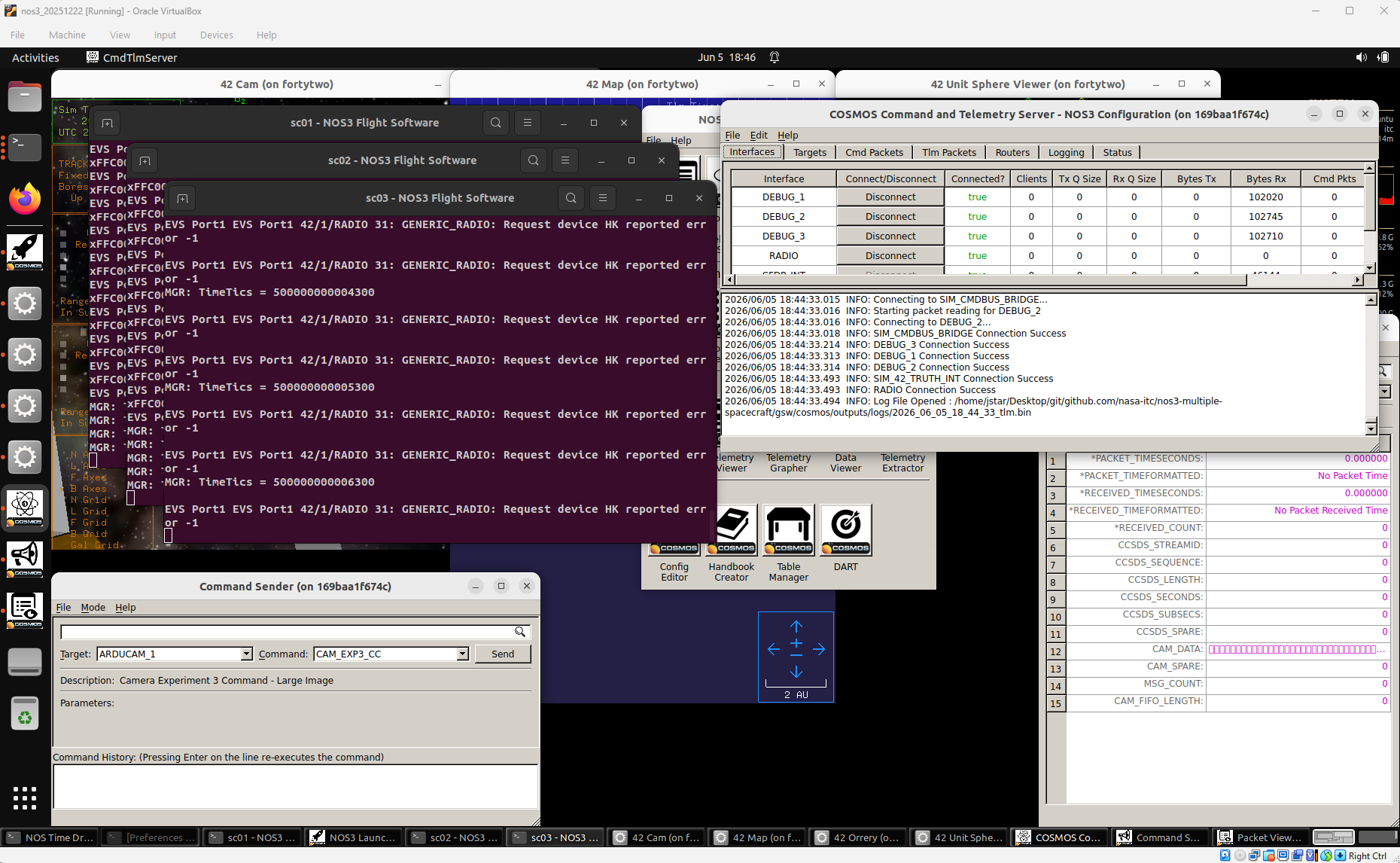
You can verify that telemetry is being received by examining the Bytes Rx column in the COSMOS Command and Telemetry Server window.
Note that commands can be sent to each flight software instance just as in the Constellation with Lunar Focus scenario. Since the procedure is the same, it will not be repeated here.
This scenario is unique in that a command can be sent to one spacecraft which will forward it on to the next spacecraft. This is done as follows:
In the Command Sender window select target
GENERIC_RADIO_1and commandGENERIC_RADIO_PROXIMITY_CC, then press theSendbutton.
This is shown in the figure below.
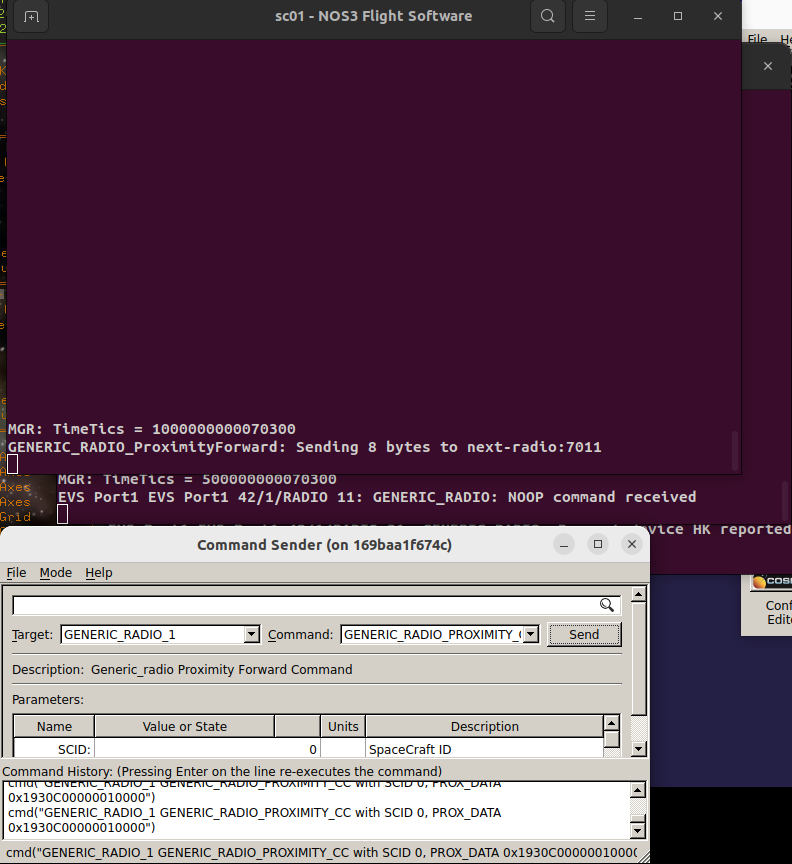
In this figure you can see the command being sent from the Command Sender. In the sc01-NOS3 Flight Software window the GENERIC_RADIO_ProximityForward command is visible, and it shows that it sent 8 bytes to the next radio (sc02’s radio, in this case). Then in the window below that one, the sc02-NOS3 Flight Software window shows that the flight software for spacecraft 2 received a NOOP command.
The command being sent in the Command Sender can be edited to forward a different type of command to the second radio, or a command can be sent to a different satellite to forward on. The next radio of spacecraft 1 is spacecraft 2’s radio, spacecraft 2 forwards to spacecraft 3, and spacecraft 3 completes the circle by forwarding to 1. This will be extended automatically if more spacecraft are added.
Background
For background on configuring a multiple spacecraft scenario, please refer to the Scenario Constellation with Lunar Focus.